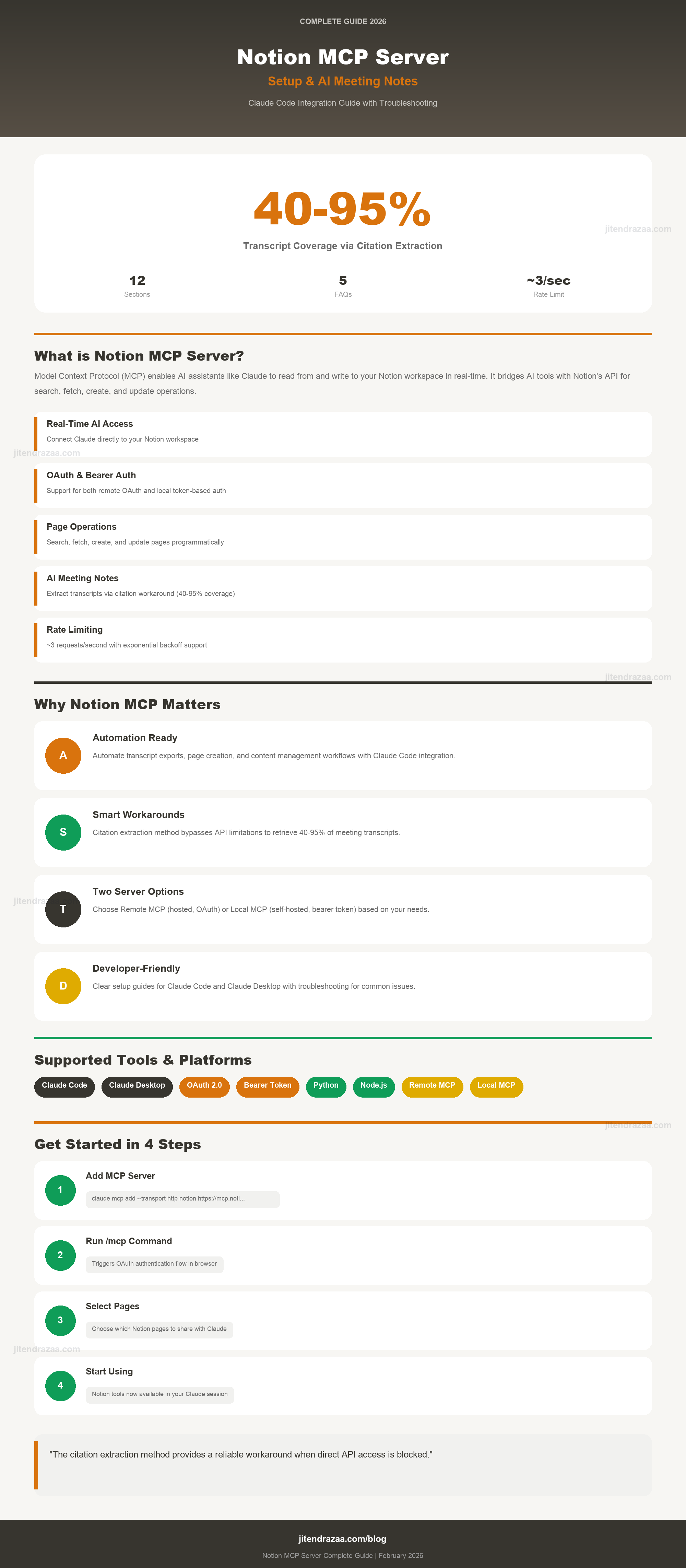
Visual summary of Notion MCP Server setup and AI Meeting Notes extraction (click to enlarge)
Master Model Context Protocol integration with Claude Code - from basic setup to extracting AI Meeting Notes transcripts with real-world workarounds
Visual summary of Notion MCP Server setup and AI Meeting Notes extraction (click to enlarge)
The Model Context Protocol (MCP) is an open standard developed by Anthropic that enables AI applications to securely connect with external data sources and tools. According to the official Notion MCP documentation, Notion's MCP implementation allows AI tools to interact with your workspace data through a standardized interface.
While Notion provides a comprehensive REST API, MCP offers several advantages for AI integration:
| Feature | Direct API | MCP Server |
|---|---|---|
| Authentication | Manual token management | OAuth with one-click setup |
| AI Optimization | Raw JSON responses | Efficient data formatting for LLMs |
| Setup Complexity | Code required | No-code configuration |
| Maintenance | You handle updates | Notion-maintained (remote) |
Notion provides two ways to connect your workspace to AI tools via MCP. Understanding the difference is crucial for choosing the right approach for your use case.
Notion's hosted, actively maintained server that uses OAuth authentication with no infrastructure setup required.
Self-hosted server using bearer token authentication, offering more control but requiring manual setup.
Claude Code supports both remote and local MCP servers. According to the Notion MCP getting started guide, the setup process varies based on your preferred server type.
First, add the Notion MCP server using the terminal command:
claude mcp add --transport http notion https://mcp.notion.com/mcpThen complete the authentication flow:
You can specify installation scope when adding the server:
# Example with user scope (available everywhere)
claude mcp add --transport http --scope user notion https://mcp.notion.com/mcpFor the local server, you'll need to create a configuration file and set up authentication manually.
Create a .mcp.json file in your project root:
{
  "mcpServers": {
    "notion-local": {
      "command": "notion-mcp-server",
      "env": {
        "NOTION_TOKEN": "ntn_YOUR_TOKEN_HERE"
      }
    }
  }
}.mcp.json file to version control. Add it to your .gitignore to protect your API token.Additionally, create a .claude/settings.local.json file to enable the MCP server:
{
  "permissions": {
    "allow": [
      "mcp__notion__notion-search",
      "mcp__notion__notion-fetch",
      "mcp__notion-local__API-retrieve-a-block",
      "mcp__notion-local__API-get-block-children"
    ]
  },
  "enableAllProjectMcpServers": true,
  "enabledMcpjsonServers": [
    "notion-local"
  ]
}Claude Desktop configuration differs slightly from Claude Code. Remote MCP servers are configured through the Settings UI, while local servers require editing the config file.
Remote MCP servers in Claude Desktop are configured through Settings → Connectors, not the config file. This is available on Pro, Max, Team, and Enterprise plans.
Add this to your claude_desktop_config.json:
{
  "mcpServers": {
    "notion": {
      "command": "npx",
      "args": ["-y", "@notionhq/notion-mcp-server"],
      "env": {
        "NOTION_API_TOKEN": "ntn_YOUR_TOKEN_HERE"
      }
    }
  }
}Some MCP clients only support local STDIO servers. You can still connect to the remote Notion MCP using the mcp-remote bridge:
{
  "mcpServers": {
    "notion": {
      "command": "npx",
      "args": ["-y", "mcp-remote", "https://mcp.notion.com/mcp"]
    }
  }
}The Notion MCP Server provides several tools for interacting with your workspace. Understanding each tool's capabilities and limitations is essential for effective integration.
| Tool Name | Purpose | Key Limitations |
|---|---|---|
| notion-fetch | Retrieve page content as Notion-flavored markdown | Transcripts return "omitted" |
| notion-search | Search pages and databases by query | Returns snippets only, not full content |
| notion-create-pages | Create new pages with content | Limited block type support |
| notion-update-page | Modify existing page content | Cannot modify some block types |
| notion-get-comments | Retrieve page comments | No transcript data access |
| Tool Name | Purpose | Status |
|---|---|---|
| API-retrieve-a-block | Fetch individual block by ID | Works for citation blocks |
| API-get-block-children | Get child blocks of a parent | Fails for meeting notes |
| API-retrieve-a-page | Retrieve page properties | No transcript data |
mcp__notion__ are from the official remote server. Tools prefixed with mcp__notion-local__ are from the self-hosted server. The naming convention helps distinguish which server handles each request.Notion's AI Meeting Notes feature automatically generates transcripts from recorded meetings. However, accessing these transcripts programmatically via the Notion API is blocked - a significant limitation for automation workflows.
When you attempt to fetch a page containing AI Meeting Notes, the transcript sections return a placeholder instead of actual content:
<transcript>Transcript omitted from page content</transcript>This isn't a bug or configuration issue - it's a deliberate limitation in Notion's API design. The transcription block type is explicitly unsupported.
Before discovering the citation extraction workaround, I tested multiple approaches to access meeting transcripts via the Notion API. Understanding why each approach fails helps explain the architecture of the eventual solution.
Tool Used: mcp__notion__notion-fetch
Approach: Fetch the entire meeting notes page hoping to get transcript content.
Result: Page content returned, but all transcript sections show the "omitted" placeholder. The AI summaries are accessible, but not the raw transcript.
Tool Used: mcp__notion-local__API-get-block-children
Approach: Navigate to the meeting notes block and retrieve its children (the transcript blocks).
Result: This is a hard limitation - Notion explicitly blocks transcription blocks in their API. No workaround possible with this approach.
Approach: Test with older Notion API versions (2022-06-28, 2021-08-16) hoping the restriction was added later.
Result: Same error across all API versions. The transcription block type has never been supported via the API.
Tool Used: mcp__notion__notion-search
Approach: Search for specific phrases that appear in the transcript.
Result: Returns highlight snippets proving the data exists, but only returns short snippets - not the full content. Useful for confirming content exists but not for extraction.
Tool Used: mcp__notion-local__API-retrieve-a-block
Approach: Directly retrieve the meeting notes block by its ID.
Result: Meeting note blocks return type: "unsupported" with has_children: true, but the children cannot be accessed due to the transcription block restriction.
After five failed approaches, I discovered a workaround that provides partial transcript access. The AI-generated summaries in Meeting Notes contain citation references that link to specific transcript segments - and these citations ARE accessible via the API.
When Notion's AI generates a meeting summary, it cites specific portions of the transcript using this pattern:
The team discussed the architecture[^{{https://www.notion.so/page-id#block-id}}]These citation URLs contain block IDs that point to individual paragraph blocks within the transcript. Unlike the transcription block itself, these paragraph blocks can be fetched via the Blocks API.
This workaround provides only partial transcript access. Understanding what you get vs what's missing is essential:
| Included in Extraction | Likely Missing |
|---|---|
| Key decisions discussed | Small talk and greetings |
| Action items mentioned | Repetitive explanations |
| Technical discussions | Off-topic tangents |
| Important quotes | Clarifying questions |
Here's a complete Python implementation for extracting meeting transcripts using the citation extraction method. This script includes error handling, rate limiting, and completeness estimation.
#!/usr/bin/env python3
"""
Notion Meeting Transcript Extractor

Extracts meeting transcripts from Notion AI Meeting Notes by fetching
citation blocks referenced in meeting summaries.

IMPORTANT LIMITATION:
This extracts ONLY the portions of transcripts that are cited in AI summaries.
Typical coverage is 40-95% of the full transcript.
"""

import os
import re
import json
import time
import requests
from pathlib import Path
from datetime import datetime
from collections import defaultdict
from typing import Optional, List, Dict, Tuple

# Configuration
NOTION_API_VERSION = "2022-06-28"
NOTION_BASE_URL = "https://api.notion.com/v1"
REQUEST_DELAY = 0.35  # seconds between requests (~3 req/sec limit)

# Completeness thresholds
EXPECTED_WORDS_PER_HOUR = 7200  # ~120 words/min speaking rate
LOW_COMPLETENESS_THRESHOLD = 50  # Mark as PARTIAL if below this %


class NotionTranscriptExtractor:
    def __init__(self, token: str, output_dir: str = "./Meetings"):
        self.token = token
        self.output_dir = Path(output_dir)
        self.output_dir.mkdir(exist_ok=True)
        self.headers = {
            "Authorization": f"Bearer {token}",
            "Notion-Version": NOTION_API_VERSION,
            "Content-Type": "application/json"
        }
        self.session = requests.Session()
        self.session.headers.update(self.headers)
        self.request_count = 0

    def _format_block_id(self, block_id: str) -> str:
        """Format block ID with dashes (UUID format)."""
        clean_id = block_id.replace("-", "")
        if len(clean_id) == 32:
            return f"{clean_id[:8]}-{clean_id[8:12]}-{clean_id[12:16]}-{clean_id[16:20]}-{clean_id[20:]}"
        return block_id

    def fetch_block(self, block_id: str) -> Optional[dict]:
        """Fetch a block by ID using the Blocks API."""
        formatted_id = self._format_block_id(block_id)
        url = f"{NOTION_BASE_URL}/blocks/{formatted_id}"

        try:
            response = self.session.get(url)
            self.request_count += 1

            if response.status_code == 200:
                return response.json()
            elif response.status_code == 429:
                # Handle rate limiting
                retry_after = int(response.headers.get('Retry-After', 5))
                print(f"    Rate limited. Waiting {retry_after}s...")
                time.sleep(retry_after)
                return self.fetch_block(block_id)  # Retry
            else:
                return None
        except Exception as e:
            print(f"    Exception fetching {block_id}: {e}")
            return None

    def extract_text_from_block(self, block: dict) -> str:
        """Extract plain text from a block's rich_text content."""
        if not block:
            return ""

        block_type = block.get("type", "")
        type_data = block.get(block_type, {})

        # Most transcript blocks are paragraphs
        if "rich_text" in type_data:
            rich_text = type_data["rich_text"]
            return "".join([rt.get("plain_text", "") for rt in rich_text])

        return ""

    def extract_citation_blocks_from_json(self, json_content: str) -> List[str]:
        """
        Extract citation block IDs from Notion MCP fetch output.
        Pattern: [^{{https://www.notion.so/page-id#block-id}}]
        """
        # Find all citation patterns
        pattern = r'notion.so/[a-f0-9-]+#([a-f0-9]+)'
        matches = re.findall(pattern, json_content)

        # Get unique block IDs while preserving order
        return list(dict.fromkeys(matches))

    def estimate_completeness(self, word_count: int) -> Tuple[int, str]:
        """Estimate transcript completeness based on word count."""
        if word_count == 0:
            return 0, "EMPTY"

        percentage = min(100, int((word_count / EXPECTED_WORDS_PER_HOUR) * 100))

        if percentage >= 90:
            status = "COMPLETE"
        elif percentage >= LOW_COMPLETENESS_THRESHOLD:
            status = "PARTIAL"
        else:
            status = "INCOMPLETE"

return percentage, status# From citation block file
python3 notion_transcript_extractor.py --block-file blocks.txt
# From MCP fetch JSON output
python3 notion_transcript_extractor.py --json-file notion-output.json
# With custom output directory
python3 notion_transcript_extractor.py --json-file output.json --output-dir ./transcripts============================================================
EXTRACTION SUMMARY
============================================================
Date Segments Words Complete Status
----------------------------------------------------
2026-01-15 95 6876 95% COMPLETE
2026-01-08 77 4314 59% PARTIAL
2025-11-20 45 2709 37% INCOMPLETE
----------------------------------------------------
⚠️ 2 meeting(s) have incomplete transcripts.
For full content, use Notion's Export feature.Symptom: API returns 401 Unauthorized or "Invalid token" error.
ntn_ (not secret_)NOTION_TOKEN or NOTION_API_TOKENSymptom: Claude Code or Desktop doesn't recognize the Notion MCP server.
npm install -g npx.mcp.json is in the project rootSymptom: API returns 404 or "Object not found" for pages you own.
Symptom: Frequent 429 "Too Many Requests" errors during extraction.
REQUEST_DELAY to 0.5 seconds or higherRetry-After header and wait accordinglySymptom: Script runs but extracts 0 segments from meeting notes.
print statements before and after each API call. This helps identify whether the issue is with authentication, permissions, or the specific block being accessed..mcp.json to your .gitignoreNOTION_TOKEN instead of hardcoding| Scenario | Recommended Approach |
|---|---|
| Automated weekly transcript archival | Citation Extraction - acceptable for key points |
| Legal/compliance documentation | Notion Export - need 100% accuracy |
| Creating meeting summaries | Citation Extraction - already captures highlights |
| Speaker attribution required | Notion Export - citations lack speaker names |
| One-time transcript backup | Notion Export - manual but complete |
Reference guide for technical terms and abbreviations used throughout this article.
Notion MCP Server is a Model Context Protocol implementation that allows AI assistants like Claude to read from and write to your Notion workspace in real-time. It acts as a bridge between AI tools and Notion's API, enabling tasks like searching pages, fetching content, and creating or updating pages programmatically.
Notion explicitly blocks transcription blocks in their API. When you try to fetch meeting transcripts, you'll receive a 400 error stating "Block type transcription is not supported via the API." This is a hard limitation that cannot be bypassed with different API versions. The workaround is to extract citation blocks from AI summaries, which provides 40-95% of the transcript content.
Remote MCP (mcp.notion.com) is Notion's hosted, actively maintained server using OAuth authentication with no infrastructure setup required. Local MCP (notion-mcp-server npm package) runs on your machine using bearer token authentication, offering more control but requiring manual setup. Notion is prioritizing the remote server and may sunset the local server in the future.
Since direct transcript access is blocked, use the citation extraction workaround: 1) Fetch the page with notion-fetch to get AI summaries, 2) Parse citation URLs from summary sections using regex, 3) Extract unique block IDs from citations, 4) Fetch each block individually via the Blocks API, 5) Combine extracted text. This method yields 40-95% of the transcript content.
Notion allows approximately 3 requests per second for standard integrations. When implementing extraction scripts, use a 0.35-second delay between requests to avoid rate limiting. If you receive a 429 error, the API will include a Retry-After header indicating how long to wait before retrying. For high-volume applications, consider implementing exponential backoff.
Explore more guides and resources on AI, automation, and productivity tools:
