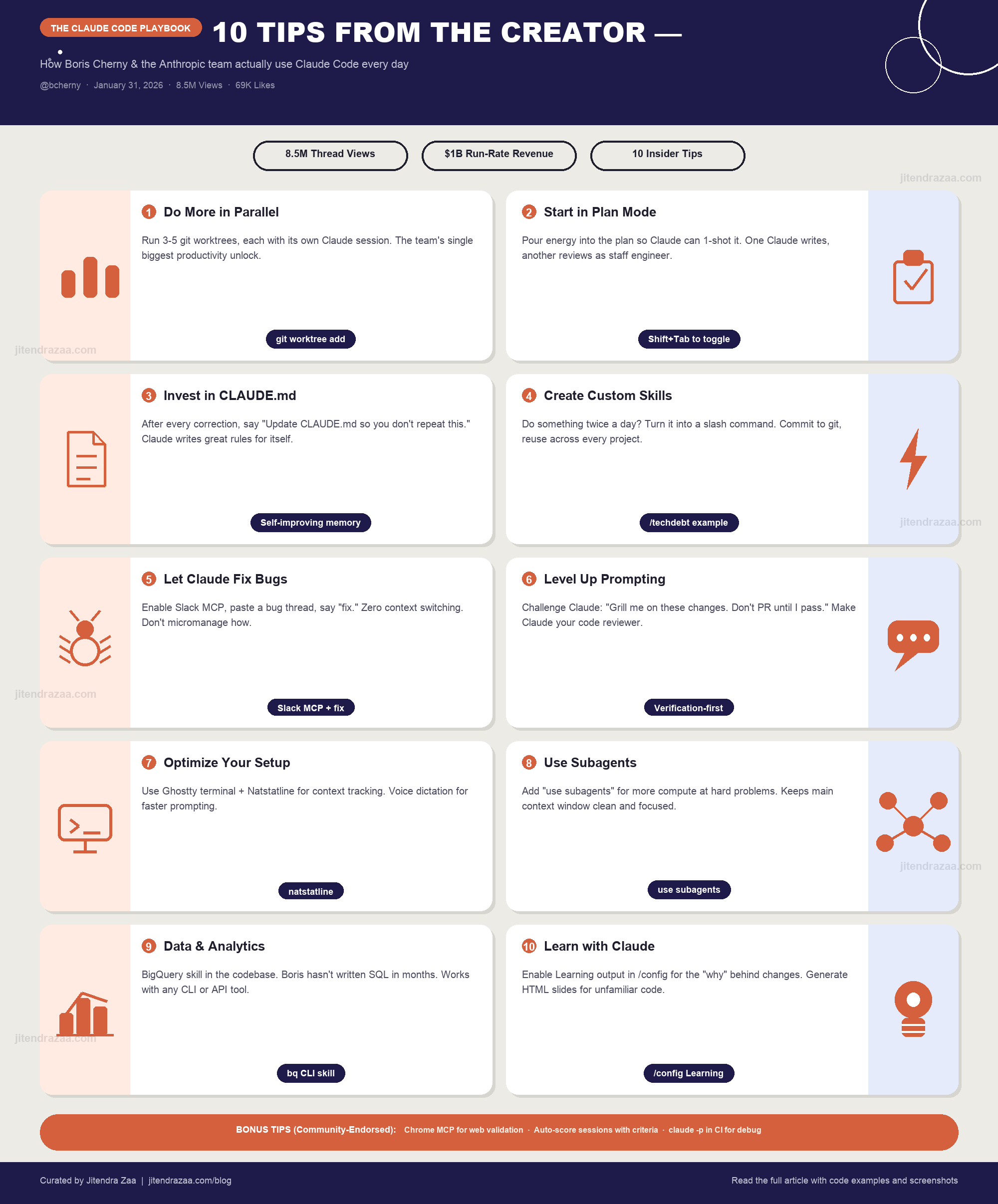
Visual summary of Boris Cherny's 10 Claude Code tips that generated 8.5M views on X
How the Anthropic team actually uses Claude Code — straight from the creator's viral thread with 8.5 million views
Visual summary of Boris Cherny's 10 Claude Code tips that generated 8.5M views on X
Boris Cherny created Claude Code as a side project in September 2024 while working at Anthropic. Before joining Anthropic, he spent nearly seven years at Meta (Facebook) where he rose from IC4 to Principal Software Engineer (IC8), leading teams of up to 30 engineers. He is also the author of O'Reilly's Programming TypeScript.
When I created Claude Code as a side project back in September 2024, I had no idea it would grow to be what it is today.
On January 31, 2026, Boris shared a thread on X (formerly Twitter) revealing how his team at Anthropic actually uses Claude Code. The thread exploded with 8.5 million views, 49,000 likes, and 6,400 reposts. According to Anthropic's official announcement, Claude Code reached $1 billion in run-rate revenue just six months after becoming publicly available.
What makes these tips uniquely valuable is that they come directly from the team that builds Claude Code. Boris noted that every team member uses the tool differently, and he encouraged developers to experiment to find their own workflow. Here are all 10 tips, enriched with context and practical examples.
This is the single biggest productivity unlock according to the Claude Code team. Boris personally uses multiple git checkouts, but most of the team prefers worktrees.
Git worktrees let you create multiple working directories from the same repository. Each worktree gets its own branch and file state while sharing the same Git history. The key insight is running a separate Claude Code session in each worktree simultaneously.
# Create a worktree for a specific task
$ git worktree add .claude/worktrees/my-worktree origin/main

# Navigate to the worktree and start Claude
$ cd .claude/worktrees/my-worktree && claude
According to the Claude Code common workflows documentation, you can also use the --worktree flag directly when launching Claude Code. Each worktree has isolated files while sharing Git history, so there are no conflicts between parallel sessions.
Pour your energy into the plan so Claude can 1-shot the implementation.
Plan mode (toggled with Shift+Tab) tells Claude to use read-only operations — analyzing code, reading files, searching the codebase — to create a detailed implementation plan before writing a single line of code. The philosophy is simple: invest heavily in planning so Claude can execute the implementation flawlessly in one pass.
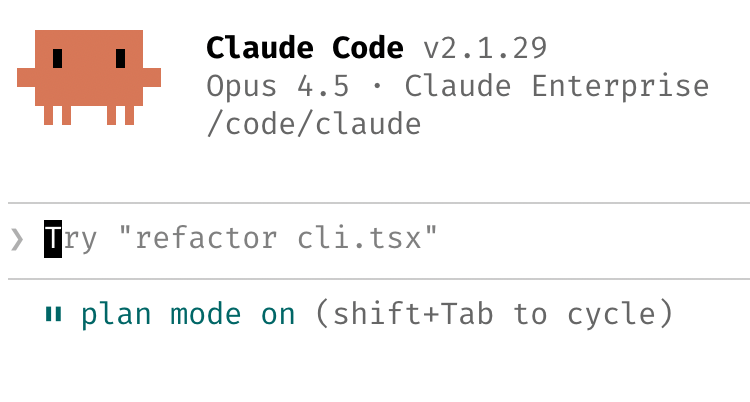
Press Shift+Tab twice to toggle plan mode on. Claude switches to read-only exploration.
Review Claude's plan, ask questions, request changes. Don't rush this step.
Once the plan is solid, switch to auto-accept mode and let Claude implement.
One team member takes this further: they have one Claude write the plan, then spin up a second Claude session to review it as a staff engineer. Another team member follows a different pattern: the moment something goes sideways during implementation, they immediately return to plan mode to reassess rather than letting Claude wander.
After every correction, end with: "Update your CLAUDE.md so you don't make that mistake again." Claude is eerily good at writing rules for itself.
CLAUDE.md is a persistent memory file that Claude Code reads at the start of every session. According to the Claude Code memory documentation, it follows a six-tier hierarchy where more specific instructions take precedence over broader ones.
| Priority | File Location | Scope |
|---|---|---|
| 1 (Highest) | Managed Policy | Enterprise-wide settings |
| 2 | ./CLAUDE.md | Project root (shared with team via git) |
| 3 | .claude/rules/*.md | Project-specific rules |
| 4 | ~/.claude/CLAUDE.md | User-wide (all projects) |
| 5 | ./CLAUDE.local.md | Local preferences (gitignored) |
| 6 | ~/.claude/projects/<project>/memory/ | Auto-memory (Claude writes for itself) |
@.claude on PRs to integrate learnings.Skills (formerly called slash commands) extend Claude Code's capabilities with domain-specific workflows. According to the Claude Code skills documentation, they follow the open Agent Skills standard and can be shared across projects.
/techdebt slash command and run it at the end of every session to find and kill duplicated code| Location | Scope | Best For |
|---|---|---|
~/.claude/skills/<name>/SKILL.md | Personal (all projects) | Your personal workflow automation |
.claude/skills/<name>/SKILL.md | Project (shared via git) | Team-wide conventions and workflows |
.claude/commands/<name>.md | Project (legacy format) | Still supported, backwards compatible |
Skills support YAML frontmatter for controlling behavior: set user-invocable: true for slash command access, context: fork to run in a subagent, or specify allowed-tools to restrict what tools the skill can use. Boris's team has skills for everything from BigQuery analytics to code review to tech debt analysis.
/init to bootstrap a CLAUDE.md for new projects.The team uses MCP (Model Context Protocol) integrations to connect Claude directly to bug reports, CI logs, and error monitoring tools.
The Model Context Protocol (MCP) is an open standard that provides a standardized way for LLMs to communicate with external data sources and services. Claude Code natively supports MCP, and the Anthropic team leverages it heavily for bug fixing workflows.
The key pattern here is outcome-based prompting. Instead of telling Claude exactly what to change, describe the desired outcome. "Fix the failing CI tests" gives Claude the freedom to investigate, diagnose, and resolve the issue using its own judgment.
Boris shared two powerful prompting strategies that his team uses daily. These go beyond basic instructions and treat Claude as a collaborative engineering partner.
Instead of always asking Claude to write code, flip the dynamic. Ask Claude to challenge you on your code, review your decisions, and verify your changes.
This turns Claude into a rigorous code reviewer that catches edge cases, identifies potential regressions, and ensures your changes are production-ready.
When Claude's output is not quite right, don't start over. Build on what exists. Boris's team iterates on results rather than abandoning them, refining prompts with more specific constraints until the output meets their standards.
| Pattern | Example Prompt | When to Use |
|---|---|---|
| Challenge | "Grill me on these changes" | Before PR submission |
| Verify | "Prove to me this works" | After implementation |
| Diff | "Diff behavior between main and this branch" | Feature validation |
| Outcome-based | "Fix the failing CI tests" | Bug fixing |
| Autonomous | "Go fix this Slack thread" | MCP-driven workflows |
The Claude Code team has strong opinions about terminal setup, and their recommendations come from running Claude Code all day, every day.
Multiple team members use Ghostty, a terminal emulator created by Mitchell Hashimoto (co-founder of HashiCorp). They specifically cited its synchronized rendering, 24-bit color support, and proper Unicode support as key advantages. Ghostty uses Metal rendering on macOS and maintains 500 FPS even during demanding tasks.
For managing multiple parallel Claude sessions, the team uses /statusline to customize the status bar at the bottom of the terminal. According to the statusline documentation, it can display context usage, cost tracking, current git branch, and model information.
This is especially useful when juggling 3–5 parallel worktree sessions. A quick glance at the status bar tells you which branch you're on and how much context each session has consumed.
fn twice on macOS to activate dictation. Boris uses this to speak detailed prompts faster than typing./permissions to pre-allow common commands (build, lint, test) instead of approving each one individually.bun run format || true).Subagents are specialized AI assistants that run in their own context window with custom system prompts. According to the Claude Code subagents documentation, they are one of the most powerful features for scaling your Claude Code usage.
When you want Claude to throw more compute at a problem, just say "use subagents" and it will launch multiple parallel agents to explore, research, and solve different aspects simultaneously.
Individual research or exploration tasks can be sent to subagents, keeping your main agent's context window focused and uncluttered.
The team routes permission approval requests to Opus 4.5 via a hook, letting the AI judge whether a tool call should be approved.
| Type | Model | Tools | Best For |
|---|---|---|---|
| Explore | Haiku (fast) | Read-only | Quick codebase searches |
| Plan | Inherited | Read-only | Research and planning |
| General-purpose | Inherited | All tools | Complex multi-step tasks |
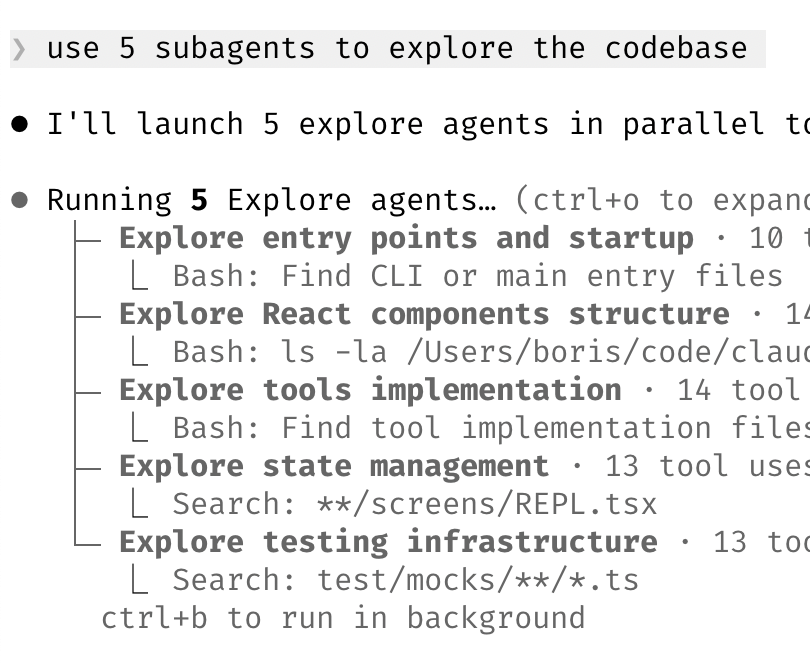
You can also define custom subagents in .claude/agents/ with YAML frontmatter specifying their model, tools, MCP server access, and even memory persistence. The team has custom agents like "code-simplifier" and "verify-app" for recurring tasks.
Ctrl+B to run a subagent in the background while you continue working in the main session. Use Ctrl+O to expand the subagent view and check progress.Boris's team has a BigQuery skill checked into their codebase. Everyone on the team uses it for analytics queries directly in Claude Code. Boris himself has not written a line of SQL for analytics since adopting this approach.
The pattern here is powerful: instead of switching to a separate analytics tool, stay in your development environment and let Claude write the query, run it, and interpret the results. This works with any CLI-based data tool — BigQuery, PostgreSQL, MySQL, or even curl-based API calls.
The Claude Code team also uses the tool as a learning accelerator. Here are their approaches:
/config to have Claude explain the why behind every change it makes, not just the whatThe thread also generated valuable tips from the community that Boris endorsed. Here are the highlights:
Garrett Kirschbaum shared that using Claude Code with the Chrome MCP to validate changes on the web has been a "huge unlock" for his team. Boris agreed, calling Chrome MCP a "game changer." This lets Claude interact with a real browser, verify UI changes, check for visual regressions, and validate that deployed features work as expected.
Bob Sheth suggested auto-evaluating each Claude session with score-based criteria. Boris called it a "cool idea." The concept involves creating a skill that evaluates session quality across dimensions like code correctness, first-attempt accuracy, and adherence to project conventions — pulling out learnings over time.
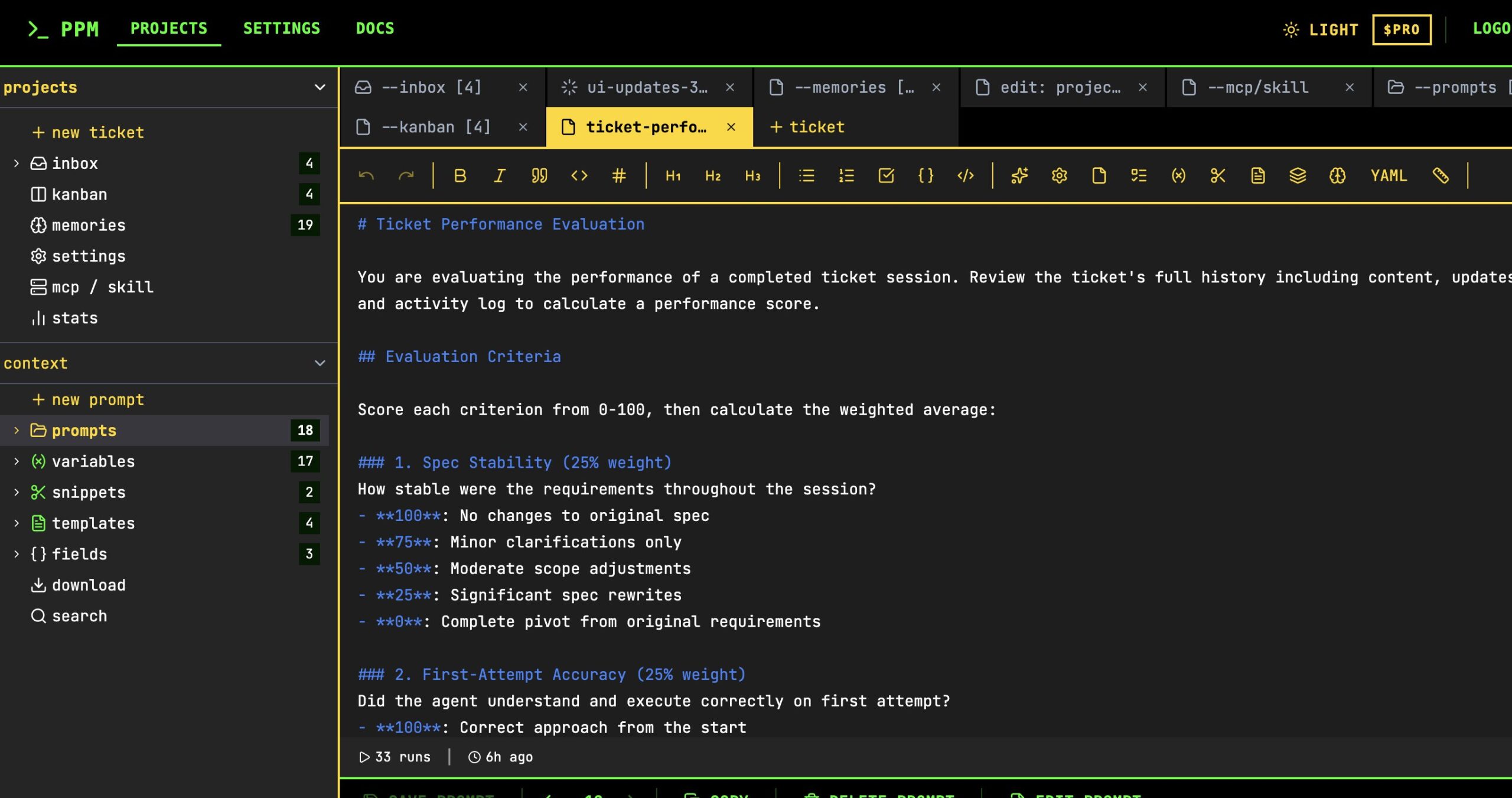
Sterling Crispin raised the common problem of Claude re-implementing similar code in multiple places as codebases grow. Boris's solution involves two strategies:
claude -p (pipe mode) as part of your continuous integration pipeline to catch duplicated code automatically# Use Claude in CI to check for code duplication
claude -p "Review the PR diff for code duplication. Check if any new code
duplicates existing functions in the codebase. Report findings."Boris's top tips include: (1) running 3–5 parallel git worktrees, (2) starting complex tasks in plan mode, (3) investing in CLAUDE.md memory, (4) creating reusable skills, (5) using MCP integrations for bug fixing, (6) challenging Claude as a code reviewer, (7) using Ghostty terminal with custom statusline, (8) leveraging subagents for parallel compute, (9) using Claude for data analytics, and (10) enabling learning output styles.
Git worktrees let you create multiple working directories from the same repository. With Claude Code, you spin up 3–5 worktrees each running its own Claude session in parallel. Use git worktree add .claude/worktrees/my-worktree origin/main to create one, then launch Claude in each. This is the team's #1 productivity tip.
CLAUDE.md is a persistent memory file read at the start of every Claude Code session. It stores project conventions, coding standards, common mistakes to avoid, and architectural decisions. The Anthropic team updates it after every correction, asking Claude to write rules for itself to prevent repeated mistakes.
Plan mode (toggled with Shift+Tab) makes Claude use read-only operations to analyze your codebase and create a detailed implementation plan before writing code. The Anthropic team invests heavily in perfecting the plan so Claude can one-shot the implementation. One team member even has a second Claude review the plan as a staff engineer.
Boris Cherny created Claude Code as a side project in September 2024 while working at Anthropic. He is the Head of Claude Code at Anthropic, previously a Principal Software Engineer (IC8) at Meta/Facebook, and author of O'Reilly's Programming TypeScript. The tool has since grown into a product generating $1B in annual run-rate revenue.
Reference guide for technical terms and abbreviations used throughout this article.
