If you’ve been wondering why your XP desktop icons have a background color, you’ll be glad to know you can flip a checkbox and have them go back to a normal transparent background.
Here’s the two versions side by side.


To set the transparent background on the icons, we’ll need to open System Properties in Control Panel (or right-click on My Computer and select Properties).
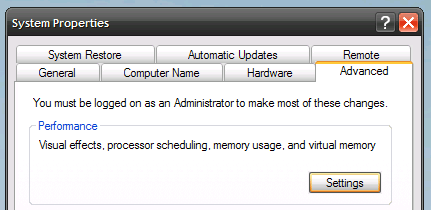 In this dialog, click the Advanced tab, and then the Settings button under the Performance section.

Check the option “Use drop shadows for icon labels on the desktop”.


Leave a Reply