To add the Feedburner in you blog, follow below steps:
Get the RSS Feed path of your blog and go to :
http://feedburner.google.com/fb/a/myfeeds
then enter the path in Textbox displayed:
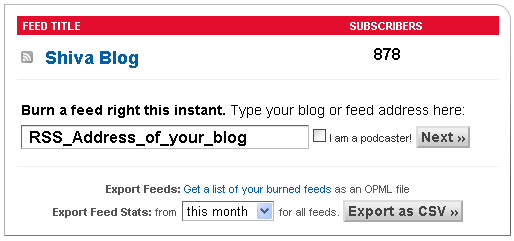
After that follow the onscreen steps.
And that all, you have done it.
Add option to add by Email
As shown in below image:

GO to Publicize and select Email subscription,
it will provide you one code, copy and paste that in you blog and the component is ready to use.
Output will look like:

Leave a Reply